
Hubside Photos – Enhancing Digital Memories
Hubside Photos is a comprehensive photo management platform that enables users to organize, share, and bring their memories to life. From high-quality photo printing to creating custom photobooks, the platform transforms digital moments into tangible keepsakes. The newly launched iOS app extends accessibility, allowing users to manage their photo collections and order prints on the go. With a focus on simplicity and customization, Hubside Photos makes preserving and sharing memories effortless.
User Journey & Research
Understanding the Problem
Initially, Hubside Photos was a web application focused on photo management and sharing among family and friends. While this provided a solid foundation, users lacked advanced options to turn their digital memories into physical keepsakes. Our research indicated that users wanted more control over their photos, including high-quality printing and personalized photobooks. Additionally, the absence of a mobile app limited accessibility and engagement.
Key Features & UX Challenges
Photo Printing & Physical Keepsakes
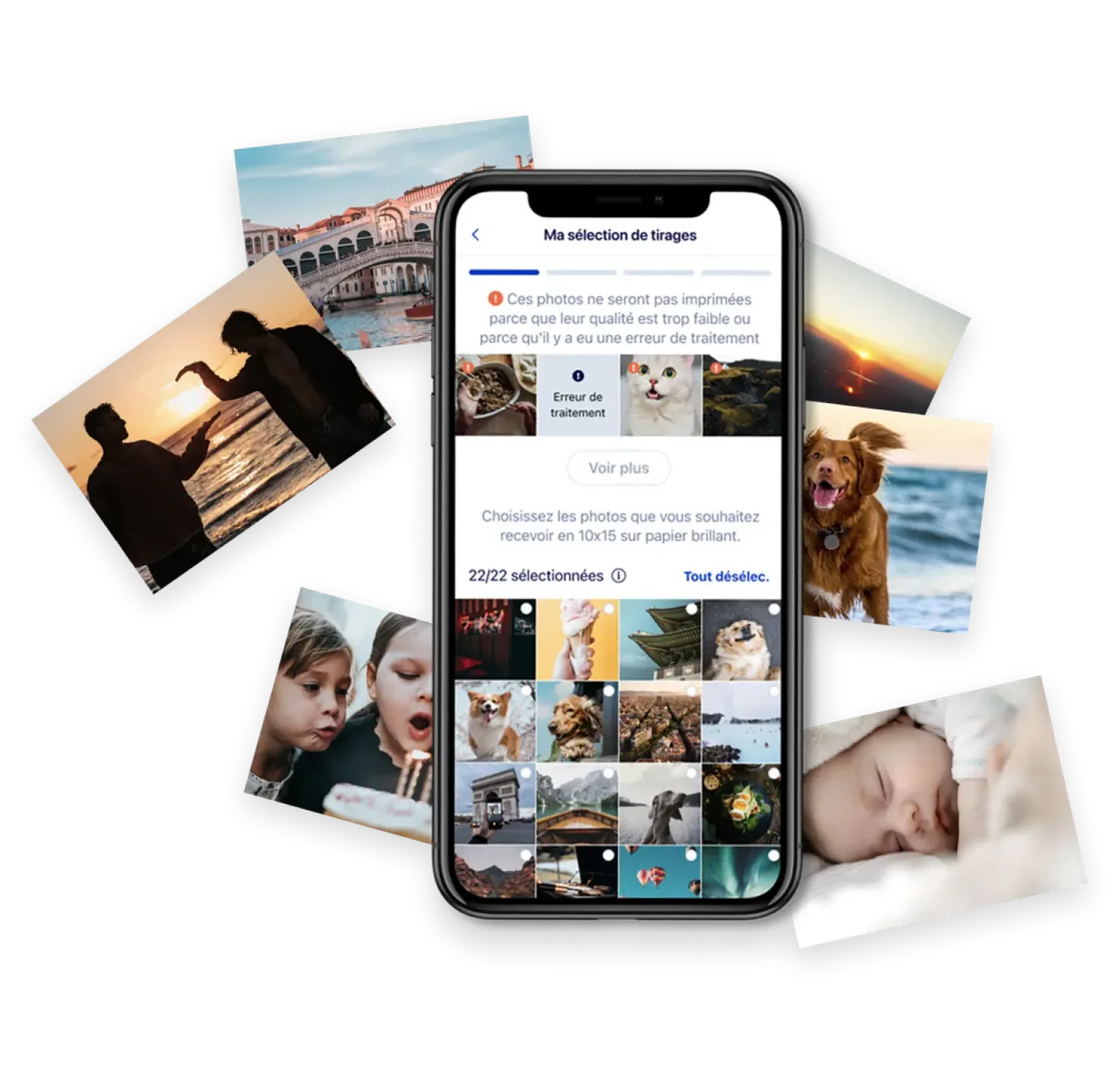
Users expressed a strong desire to print their favorite photos in different formats. We introduced a seamless photo printing service, allowing users to select, customize, and order prints directly from the platform. The challenge was creating a frictionless workflow that balanced customization options with simplicity.
Photobook Creation
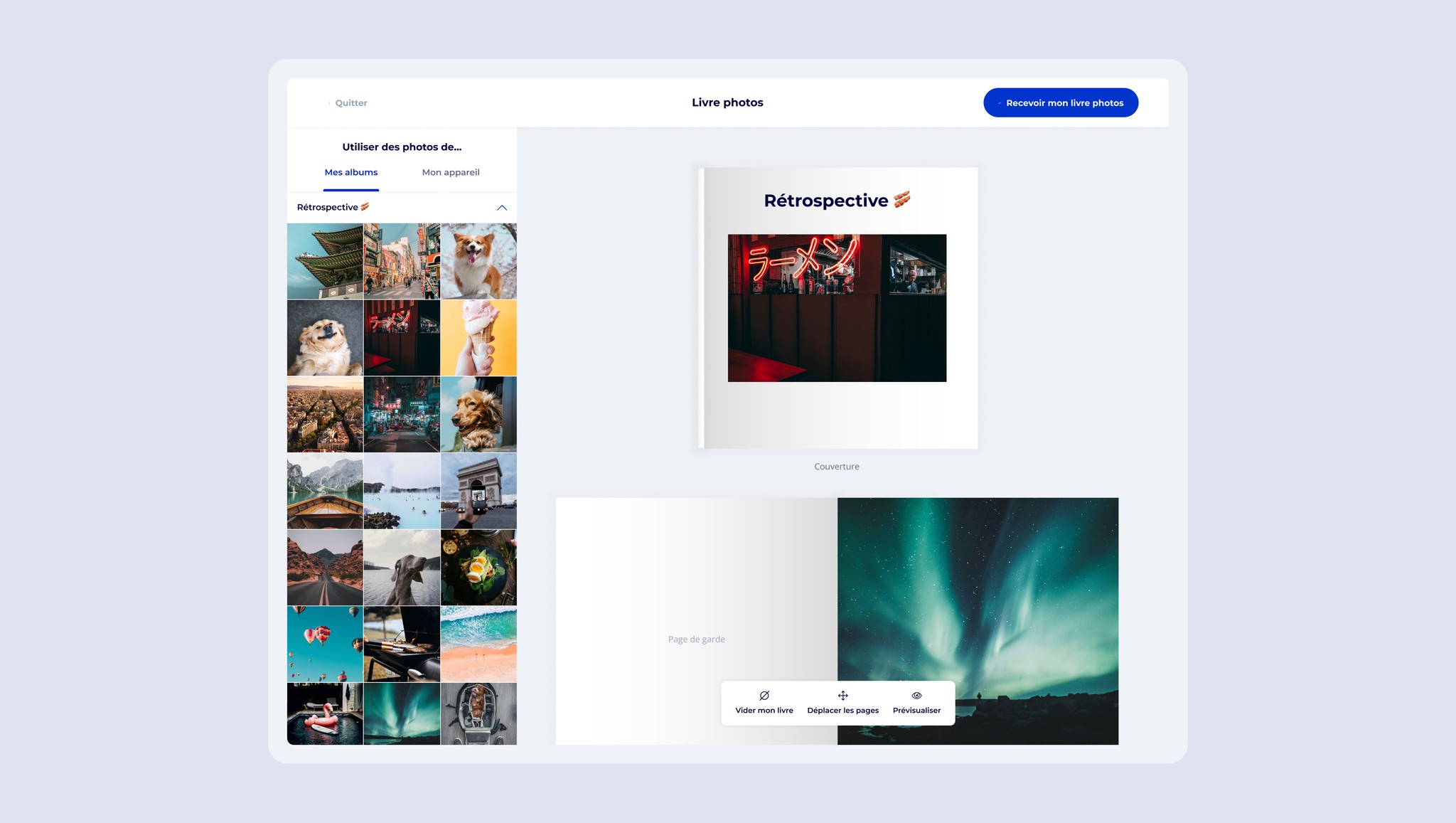
To extend personalization further, we designed an intuitive photobook editor where users could compile albums, choose layouts, and add captions. The main UX challenge was ensuring flexibility while maintaining an easy-to-use interface, especially for users unfamiliar with design tools.
Brand-New iOS App
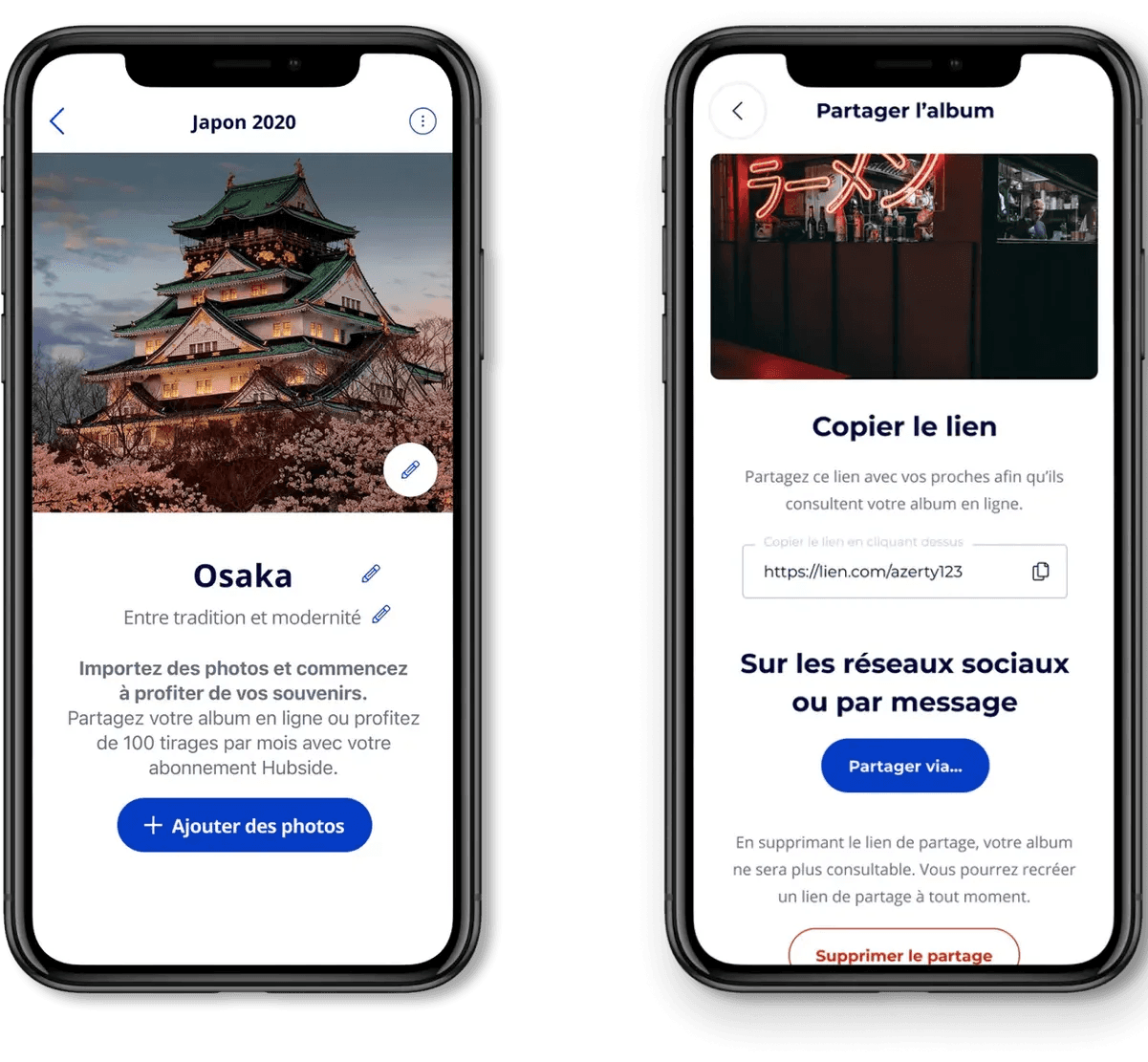
Recognizing the need for mobility, we developed an iOS app that brought Hubside Photos’ key functionalities to smartphones. This allowed users to manage their photo collections, order prints, and create photobooks on the go. The challenge was optimizing the experience for mobile screens without sacrificing features or usability.
Design System Implementation
With multiple new features being introduced, we needed a consistent and scalable design approach. We developed a design system to ensure visual coherence across the web and mobile platforms while maintaining accessibility standards.
Interaction & Visual Feedback
Live Previews & Interactive Customization
A key component of the photobook and printing features was real-time previews, ensuring users had a clear understanding of how their selections would appear. Interactive customization controls allowed for easy adjustments without overwhelming users.
Streamlined Navigation & Mobile Adaptation
The iOS app was designed with a mobile-first approach, prioritizing touch interactions and an intuitive navigation system. The challenge was maintaining consistency with the web experience while optimizing for smaller screens.
Impact & Learnings
Results
The introduction of physical photo products and the mobile app significantly increased user engagement. A large portion of users adopted photobook creation, and print orders exceeded initial forecasts. The iOS app boosted accessibility, leading to higher retention rates.
Future Enhancements
To further improve the experience, upcoming updates will include AI-assisted photo organization, automatic photobook suggestions, and additional print formats.